

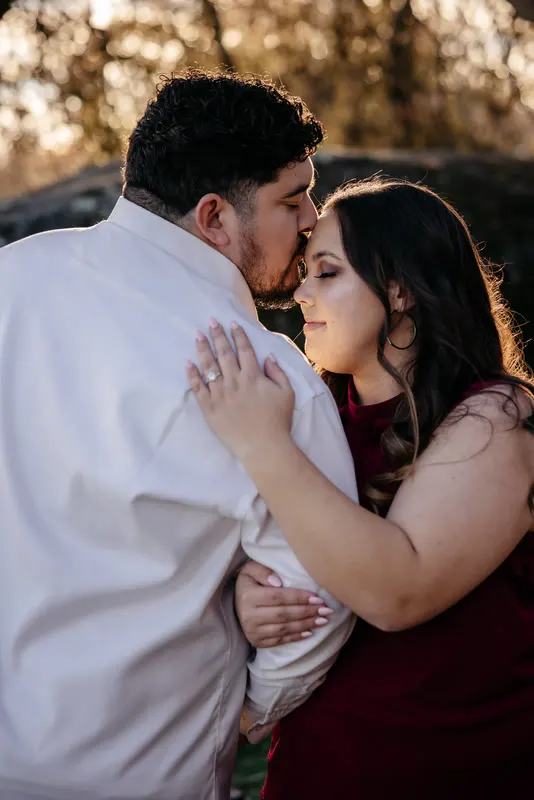
The rocks look amazing. The light was warm, the arch framed the couple perfectly and the drone shots are going to make the film. Then you look closer at the portraits, and your couple looks like they have a spray tan.
Anyone who has edited a session in Moab, Zion, Capitol Reef or around St. George knows this. Red rock is one of the best backdrops in the country and one of the hardest to grade, because the thing you want to keep vivid is the same color you need to take out of skin.
Where the orange cast comes from
Sandstone works like a giant warm reflector. Sun hits the rock, the rock throws orange and red light back at your couple, and skin picks it up. The more rock surrounds the couple, and the higher the sun, the stronger the cast.
You will usually see it as:
- Faces and arms shifting toward orange or red, often more on the side facing the rock.
- Neck and chest going redder than the face.
- White dresses and shirts turning peach on the side that faces the rock.
- Hands looking flushed in ring and detail shots.
A Moab photographer quoted in Rangefinder said the hardest part of editing there is handling the oranges, yellows and reds while keeping skin natural. That is the whole problem in one sentence: the rock and the skin live in the same part of the color wheel.
Why global HSL fixes don’t work here
The standard advice for orange skin in Lightroom is to drop Orange saturation and raise Orange luminance in the HSL panel. Fstoppers and others teach versions of it, and it works on a portrait in a plain setting.
On red rock, it backfires. Pull Orange saturation globally and the rock goes dull and brown at the same time the skin improves. Push Red luminance and the canyon walls go pastel. You end up trading one bad result for another.
The answer is to separate the two before you correct either.
A masked approach to skin and rock
In Lightroom Classic:
- Set a base white balance. Find something that should be neutral in the same light as the couple, such as a shirt collar, the white of a dress on the shadow side or a gray rock. Sample it, then cool the result a little if skin still reads warm. Don’t aim for neutral rock. The rock should stay warm.
- Mask the people. Use Select People, and include face, body skin and eyes. Keep clothing out of the skin mask if you can.
- Correct skin inside the mask. A few small moves, not one big one:
- Temperature down a few points.
- Saturation down slightly.
- In the mask’s color controls, or with Point Color in the Color Mixer, sample the skin and pull saturation down and luminance up a little.
- Mask the rock. Use Select Sky inverted, Select Background, or a brush. Here you can add a little Saturation and Clarity so the rock keeps its depth.
- Fix white clothing separately. A peach-tinted dress needs its own mask: lower Saturation and a touch cooler, so the dress goes back to white without the skin going gray.
Check a few frames at 100% on the face and the hands. Flushed hands are easy to miss on the grid and very obvious in an album.
Golden hour vs midday in the desert
Golden hour makes this easier. Low sun lights the couple directly, so the bounce from the rock is a smaller share of the light on their faces, and the overall warmth is even. Lois V Photography, writing about St. George, recommends sunrise or sunset for Snow Canyon, and the same goes for most red rock locations.
Midday is where it gets hard. Digital Photography School’s general advice for midday shooting, open shade and fill flash, helps in camera. In the edit, expect:
- Hard shadows under eyes and chins, filled with orange bounce.
- Clipped highlights on foreheads and shoulders.
- Squinting, which no slider fixes, so cull for it.
For midday frames, recover highlights on skin first, then do the skin color mask. Correcting color on clipped skin gives you gray patches.
Keeping the whole set consistent
One great frame is not the job. The couple will see 150 frames in a row, and red rock sets drift badly because the cast changes every time the couple turns.
- Group by direction. Frames where the couple faces the rock wall have more cast than frames where the wall is behind them. Edit one master per group.
- Copy masks, then check them. Lightroom can recompute people and sky masks for each frame when you sync, which is useful. But check each frame; a hand or a strand of hair can drop out of the mask.
- Compare skin side by side. Use Survey view (N) or Compare view (C) and look only at faces. If one frame is warmer than its neighbors, fix it now.
- Match the drone. If you are cutting a film or a Drone-only edit, grade the aerials so the rock color matches the ground-level shots. A drone shot that is more orange than the portraits stands out.
If you are shooting an elopement in a national park, permits are a separate job for the couple. The National Park Service, for example, lists a $100 Special Use Permit for a simple ceremony at Zion, requested at least 3 weeks ahead, and says the couple applies for Arches weddings themselves. Check the park’s own page for current rules.
Where outsourcing fits
Masked skin correction across a whole desert session takes time. Each frame needs the masks checked, and each group needs matching against the others. That is exactly the kind of careful, repetitive work that eats your evenings in the middle of the season.
We do it on every red rock set we edit. Send the raws, your preset and three frames you have already edited from a similar session. We match how warm you like your rock and how you like your skin, then return the gallery and the Lightroom catalog.
| What you shot | Package | Price |
|---|---|---|
| Elopement or bridals in the desert | Engagement gallery, 100–200 images | $50 |
| Full wedding day | Wedding gallery, 300–500 images | $80 |
| Drone footage | Drone-only edit | $30 add-on |
| Film | Highlight, 5–8 minutes | $100 |
See desert light handled in Desert vows and a backyard pool party and bright desert afternoon light in the rooftop ceremony among the palms.
Send your next desert session
- Start free: first project free, any Gallery tier or the Highlight film, no card. Start your free trial.
- Compare packages: packages and our work.
- Utah guide: wedding photo and film editing for Utah photographers.
- More Utah editing: salt flats bridals and one style across bridals, formals and the wedding.