

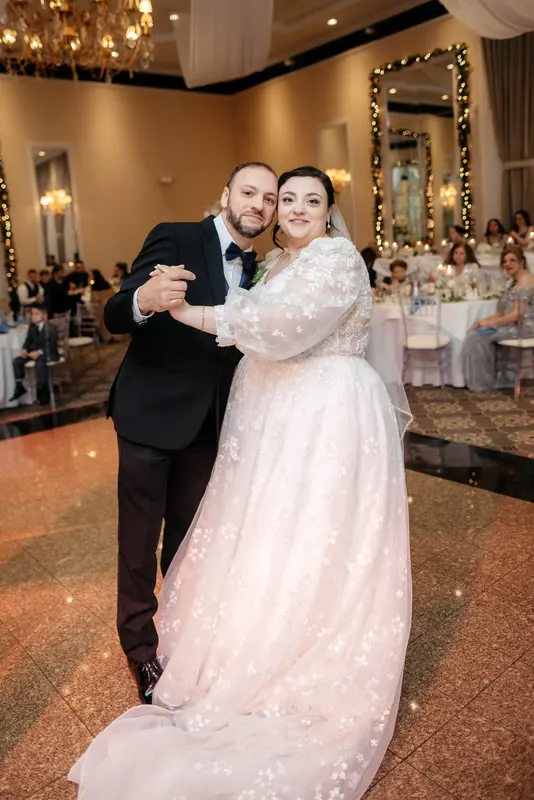
The snow went blue. The lodge went orange. The dress disappeared. Then blue hour came and you shot the best portraits of the day in a few minutes of light that is very hard to grade well.
That’s a Park City or Wasatch winter wedding. It is also one of the most rewarding galleries of the year when it comes together, because nothing looks like a mountain wedding in snow. Here’s an editing approach that works across the day.
Snow casts in sun and in shade
Snow is a reflector, like salt or white sand. It takes on the color of whatever is lighting it. In direct sun it reads close to white. In shade it reflects the blue sky and goes blue. On overcast days it often goes gray.
Fstoppers makes a useful point here: if you neutralize the sunlit snow, the shadows still carry a blue cast. That’s why one white balance never fixes a snow frame.
A working order in Lightroom Classic:
- White balance from sunlit snow. Use the eyedropper on a patch of snow in direct light. That’s your neutral base.
- Mask the shadowed snow. Use a brush, a luminance range mask or Select Background combined with a range mask. Inside the mask, drop Blue saturation a little and warm Temperature slightly.
- Leave some blue. Shadows in snow are a little blue in real life. Neutralizing them fully makes the scene look flat and fake. Aim for “less blue”, not “no blue”.
- Check skin last. After the snow is right, check faces. If you warmed the whole frame earlier, skin will be orange.
Overcast snow needs the opposite: a touch of contrast and a slight lift in Whites so the snow reads as white, not gray, without clipping.
White dress on white snow
Iris Works, in its guide to winter weddings, notes that a white dress against white snow loses detail. It’s the same problem as the salt flats, but usually in softer light.
- Expose for the dress. You can lift a face later. You can’t bring back clipped lace.
- Lower Whites first, then Highlights. That stops the clipping without graying the dress.
- Mask the dress. Select Subject, subtract skin, and add a small Texture lift on the dress only.
- Separate dress from snow with tone, not color. Don’t make the snow blue to separate it from the dress. Make the dress very slightly brighter or the snow very slightly darker in a mask.
- Watch the veil. Veils against snow vanish completely. A little Dehaze on a veil mask can bring the edge back.
For more on white-on-white technique, see editing salt flats bridals.
Ski lodge interiors and tungsten
Inside, the problem flips. Lodges are usually lit with warm tungsten, fireplaces and string lights, mixed with big windows showing cool snow outside.
| Lighting setup | What goes wrong | What to do |
|---|---|---|
| Tungsten only | Skin and wood go orange | Set white balance on a neutral (a white shirt, the dress) and keep a little warmth |
| Tungsten plus window | Faces warm on one side, cool on the other | Pick the light on the face that matters, then mask the other side |
| Fireplace portraits | Very warm, high contrast | Keep the warmth, recover highlights on faces, lift shadows a little |
| Window with snow behind | Couple silhouetted, snow clipped | Recover the window with a background mask; lift the couple with a people mask |
Sync settings per lighting setup, not across the whole reception. One room can have three setups.
See warm tungsten balanced against cool window light in the winter ballroom wedding.
Blue hour on the mountain
Blue hour after a winter sunset is short and beautiful. The sky is deep blue, the snow takes on the same blue, and the lodge windows glow warm. The challenge is keeping the blue without blue faces.
- Let the scene stay blue. Don’t white-balance a blue hour frame to neutral. That’s what makes it blue hour.
- Warm the people with a mask. Select People, then warm Temperature a little and lift Exposure slightly. The couple should look lit by the warm windows or by your flash, not by the sky.
- Reduce noise carefully. Blue hour often means high ISO. Use Denoise on the frames that need it, but check skin at 100% for a plastic look.
- Keep the sequence together. Blue hour changes fast. Frames shot ten minutes apart can look like different nights. Grade the first and last frames, then bring the middle ones between them.
For filmmakers, the same applies across clips: grade the bluest and the warmest shots first, then match everything in between to them.
Winter in the Utah season
Winter is the quiet part of the Utah wedding calendar. A Utah planner quoted by The Knot puts peak season at mid-May to mid-October, and notes that off-season weddings can be cheaper, though ski-season lodging in mountain towns is expensive.
For a photographer, that makes winter a good time to:
- Edit winter weddings yourself and use the time to learn how you like snow to look.
- Test an outside editor on a winter wedding before peak season starts.
- Build a set of reference frames for snow, lodge and blue hour that you can give an editor later.
Planning for the summer peak is covered in planning a Utah wedding season without falling behind.
Where outsourcing fits
Winter galleries need a lot of local work: snow masks, dress masks, per-setup white balance, careful noise reduction. That’s hours per wedding, even in a quiet month.
We do that work to your preset and your references, and return the gallery with the Lightroom catalog. For photo and video teams, we grade both side by side so the snow looks the same in the film as in the stills.
| What you shot | Package | Price |
|---|---|---|
| Winter wedding day | Wedding gallery, 300–500 images from up to 3,000 raws | $80 |
| Winter wedding film | Highlight film, 5–8 minutes | $100 |
| Both, one grade | Essential (Wedding gallery + Highlight) | $150 |
| Reels for the couple | Social reels, three 9:16 cuts | $40 add-on |
Standard turnaround is 7 business days from footage received. Rush is 72 hours at +50%. Mountain landscapes graded true can be seen in Ceremony under the peaks.
Send a winter wedding
- Test the match free: first project free, any Gallery tier or the Highlight film, no card. Start your free trial.
- See what’s included: what we edit and packages.
- Utah guide: wedding photo and film editing for Utah photographers.
- More Utah editing: salt flats bridals and planning a Utah wedding season.