

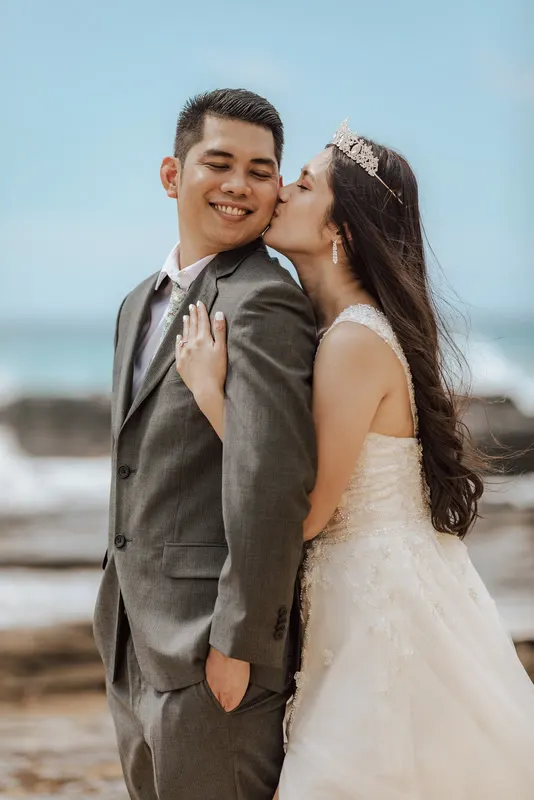
The ceremony is at 12 on the sand. There is no shade, no cloud, and the celebrant has the couple facing straight into the sun. You expose for the faces and the sky goes white. You expose for the sky and the groom’s eyes disappear under his brow. Back home, the first pass in Lightroom gives you hot pink skin, a dress with no detail and a sea that has turned the colour of dishwater.
Anyone who shoots on the Gold Coast, around Byron or on Sydney’s beaches knows this wedding. Here is how we approach the edit, so you can do it yourself or know what to ask of anyone you send it to.
Why the middle of the day is so hard
Digital Photography School describes harsh light as roughly 10 am to 2 pm, when the sun is high and shadows fall straight down. Its advice is to underexpose a little to protect the sky and bring the shadows back in post. That matches what we see in beach galleries: the problems are rarely the edit’s fault, but the edit has to solve them.
At midday on a beach you get three things at once:
- Contrast beyond the sensor’s range. Bright sand and water act like a giant reflector, so highlights clip fast.
- Hard top-down shadows. Eye sockets, under the nose and under the chin go dark.
- Colour bouncing in from everywhere. Sand warms the skin, water and sky cool it, and a white dress picks up whatever is nearest.
So the edit is really three jobs: hold the bright end, open the dark end, and clean the colour so skin looks like skin.
Hold the sky and the sea first
Start with the bright end, because what is clipped is gone. Pull highlights and whites down until the sky has tone and the white of the dress has folds and lace again. If the file is a well-exposed raw, there is usually more there than the first preview suggests.
Then deal with the sea. A noon sea often comes out flat and grey-green. Rather than pushing global saturation, which makes skin orange too, adjust the blues and aquas on their own and keep the change gentle. The goal is the water the couple remembers, not a postcard.
Only once the bright end holds do you open the faces. A radial or person mask over the couple lets you lift shadows and exposure on skin without lifting the whole frame back into clipping. Bring eye sockets up softly. If you push them too far, faces go flat and look pasted onto the background.
Light and airy without washing out the dress
If your style is bright, warm and light-and-airy, your couples booked you for exactly that. The risk at midday is that “bright” becomes “blown”.
The way through is to put the brightness in the right places:
- Keep the whites under control so the dress and the sky keep detail.
- Lift shadows and blacks for that soft, open feel.
- Lower contrast a touch rather than raising exposure.
- Warm the skin slightly, then check the dress. If it has gone cream or yellow, pull warmth back on the dress alone.
- Keep greens and blues clean, not neon.
When we match a light-and-airy preset, we grade test frames against your references and check them side by side before touching the full set. A preset built for soft afternoon light almost never works on a noon beach frame as it is. It is the starting point, adjusted per scene, so the result looks like your preset rather than the preset applied blind.
Matching the ceremony to golden-hour portraits
The ceremony is at noon, but the portraits are an hour before sunset, often on a headland or back in the dunes. The light is warmer, softer and lower. Put the two sets next to each other without care and the gallery jumps from cool and contrasty to orange and soft.
We pick one anchor scene, usually the ceremony because it holds the most important frames, and grade the rest to sit beside it. Skin first, then whites, then the background. A golden-hour portrait can stay warm, but skin should still read as the same person standing at the altar four hours earlier. At the end we look at the whole set in grid view, not scene by scene, because that is how your couple will see it.
Films: exposure that shifts across cameras
Video has the same problems, with one more. On a beach you might run a main camera, a second angle, a gimbal and a drone, each with its own picture profile and its own exposure decision made in a hurry. On the sand those differences show more than anywhere else.
Before we cut, we match every camera to one look: exposure, white balance and skin tone, shot by shot. Drone footage is graded to sit with the ground cameras, so the aerial of the headland doesn’t look like it came from a different day. Wind noise on ceremony audio is cleaned up so the vows stay clear.
If you need both, the Essential package, a Wedding gallery and a 5 to 8 minute highlight film, is A$225 and grades the stills and the film side by side. Three 9:16 social reels are A$60 if the couple want something to post before the full film lands.
What to send with a beach wedding
The brief matters more on difficult light. With a beach wedding, send:
- Your preset or a past project file.
- Three to five finished frames from a similar bright wedding, if you have one.
- A note on how bright you like it, and whether you would rather lose a little sky or a little shadow when you can’t keep both.
- For films, the music and any shots that must be in.
Paste the footage link from Dropbox, Google Drive, WeTransfer, pCloud or Box. Standard turnaround is 7 business days from the moment the link works and the brief is complete, with Australian public holidays not counted.
Send a beach wedding as your free trial
A noon beach ceremony is one of the hardest tests for an editor, which makes it a good one to start with. Your first Gallery or Highlight project is free, with no card.
- Start your free trial
- See what we edit, from galleries to films
- Browse edited work
- See packages and prices
Shooting up the coast? Read the Byron Bay and Gold Coast editing guide, or what it costs to outsource wedding photo editing in Australia.