

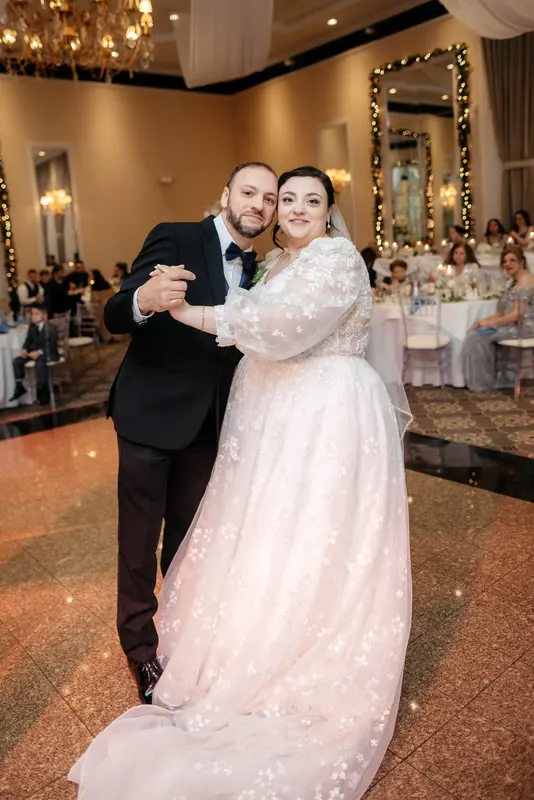
The ceremony looked beautiful. The portraits at golden hour were some of your best. Then the couple walked into a reception lit by warm bulbs, the DJ switched on purple uplights, and every frame from the first dance came out with skin somewhere between orange and violet.
It’s one of the most common editing problems on a wedding day, and the search phrases show it: “how to fix orange skin tones in Lightroom”, “how to fix skin tone in Lightroom”. Mixed light isn’t one problem. It’s several, and each needs a slightly different fix. Then the whole gallery has to look like one day.
Tungsten vs window light
The classic mixed-light problem happens indoors during the day: warm tungsten bulbs on one side, cool daylight from the windows on the other. Correct for one and the other goes wrong.
What it looks like: faces warm and orange on one side, cool and blue on the other. Walls in two colours.
How to approach it:
- Decide which light is the main light on faces. That’s the one you set white balance for.
- Set white balance on a neutral close to the face: a white shirt, the dress, a napkin. Not a wall that’s lit differently.
- Mask the other side. Use a brush or a linear mask to warm or cool the area lit by the second source, so it sits closer to the first.
- Accept some difference. A little warmth from a lamp or coolness from a window looks natural. Removing it completely looks flat.
If you shoot the scene often, a preset for this exact mix saves time next time.
Tungsten receptions
When the sun goes down and the reception is lit by warm bulbs, the whole room goes orange. The challenge is how far to correct.
Correct too little: skin looks orange, whites look yellow, and the gallery suddenly feels different from the day.
Correct too much: the room goes cold and clinical, and the evening loses its atmosphere.
A good middle ground:
- Pull white balance toward neutral, but stop early. Skin should look healthy and warm, not orange.
- Use the colour mixer on skin. Small drops in orange and red saturation, and a little added orange luminance, usually help more than shifting hue.
- Check against a daylight portrait. Put a well-lit portrait from earlier next to your reception frame. Skin doesn’t need to match exactly, but it should look like the same person.
- Keep the bulbs warm. String lights and candles are meant to glow. Mask them out of your correction if you need to.
Coloured uplights
Uplighting is the hardest mixed-light problem, because the coloured light isn’t a mistake. The couple paid for it. It’s part of how the room looked.
The aim is to keep the colour where it belongs, on walls, ceilings and the dance floor, and bring skin back toward natural.
Steps that tend to work:
- Reduce saturation in the uplight colour range. Purple, magenta and blue sliders in the colour mixer. Don’t take them to zero; just calm them.
- Mask the faces. A subject or people mask lets you warm skin and reduce the coloured cast only on the couple and guests.
- Check skin against a neutral reference. If the dress is turning purple, the faces probably are too.
- Keep it consistent across the dance floor. Lights that change colour through the night mean frames shot a minute apart can need different corrections. Group them by light colour and sync settings within each group.
For a film example, see how we handled saturated purple uplighting in the bayside wedding film.
Backlit ceremonies and window glare
Daylight brings its own problem: a ceremony in front of a bright window or glass wall, with the couple silhouetted against it.
What it looks like: faces dark, background blown out, the dress losing detail against the light.
How to approach it:
- Recover highlights first so the window isn’t a white hole.
- Lift shadows on the couple, using a mask so the background doesn’t go flat as well.
- Watch the dress. White fabric against a bright window clips easily. Bring the whites down until you can see the texture again.
- Keep some glow. A little light wrapping around the couple looks natural and pretty. Fully flattening it makes the frame feel artificial.
You can see a full ceremony shot against bright windows in our glass venue ceremony gallery.
Green spill and other surprises
A few more mixed-light problems that catch photographers out:
- Green spill from foliage, hedges or a greenhouse. Skin picks up a sickly cast. Reduce green and yellow saturation on skin with a mask, rather than across the whole frame.
- LED panels with poor colour quality, which can give skin a flat or slightly green look that doesn’t respond well to white balance alone.
- Mixed flash and ambient, where flash on the face is neutral but the background is warm. Decide whether to keep the warm background as mood, or gel your flash next time.
Our greenhouse wedding gallery is a whole day of green spill cleaned from skin.
Consistency across a whole day
Fixing each scene is half the job. The other half is making the gallery feel like one wedding when someone scrolls through it from start to finish.
A simple routine:
- Pick an anchor scene. Usually a well-lit portrait session, where skin looks its best.
- Grade skin in every other scene to sit next to it. Not identical, but clearly the same people.
- Keep whites consistent. The dress should be roughly the same brightness and warmth through the day, allowing for the mood of each scene.
- Review the whole set in grid view. Any scene that’s drifted warmer, cooler or darker than the rest stands out immediately.
- Fix the outliers, then check again.
The grid view check catches more problems than any single-frame inspection.
How BackstagePost handles mixed light
Every wedding we edit moves through different light, so consistency is built into the process. We grade test frames from different scenes against your preset and reference frames first. Then every frame is graded to the matched look, using skin as the anchor. A final pass through the whole set checks consistency across scenes and light before delivery.
If one scene in your reference frames looks very different from the rest, such as a dark, moody reception, tell us in the brief. We’ll grade to your intent, not just to a neutral average.
Your next step
Send a wedding with a difficult reception as your free trial: any Gallery tier or the Highlight film, edited and delivered like a paid project, with no card needed. Mixed light is the best test of whether an editor’s match holds up.
What we grade and retouch is on what we edit, the step-by-step process is on how it works, and more galleries and films in tricky light are on our work page. Prices are on the packages page.
If your studio shoots photos and film, read one wedding, one grade. If you’re worried an editor won’t match your look at all, read how preset matching actually works.