

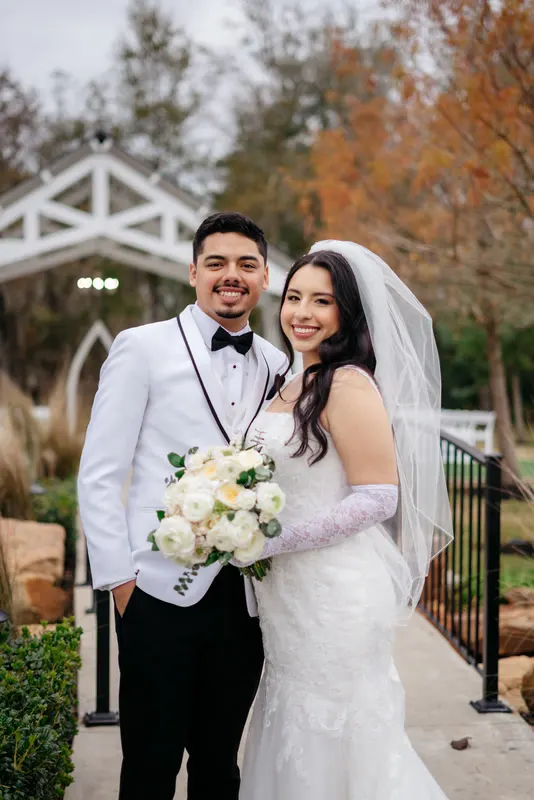
Culling is the part of the job nobody talks about at networking events. You come home from a wedding with three or four thousand frames, and before any of the creative work starts you have to go through every one of them. Burst after burst of the confetti exit. Forty near-identical frames of the first kiss. Group shots where someone has blinked in every other exposure.
A lot of photographers say culling takes them longer than the editing itself. And it’s the part where it’s hardest to let go, because each near-duplicate feels like it might be the one.
This post covers what a culling service actually does, how it compares to doing it yourself or using software, and what you need to send so the result looks like your selection rather than a stranger’s.
What culling is, and what a good cull looks for
Culling is cutting the full card down to the gallery you’ll deliver. It sounds simple, but it’s really three jobs at once:
- Removing the unusable: missed focus, closed eyes, someone walking through the frame, test shots.
- Choosing between near-duplicates: picking the one frame from a burst with the best expression and the sharpest focus.
- Keeping the story: making sure the gallery still runs from getting ready to the last dance, with nothing important missing.
In our own workflow the cull is a set stage, after we’ve matched your style and before grading. The brief to the editor is the same each time: best expression, sharp focus, no near-duplicates, down to the count in your package.
The third job is the one that makes or breaks it. A cull that keeps all the sharp frames but loses the moment the father of the bride wipes his eyes has failed, even if every image in it is technically perfect.
Doing it yourself, using software, or a human cull
There are three common approaches, and plenty of photographers mix them.
| Approach | What it does well | What it still needs from you |
|---|---|---|
| Culling yourself | You know the day, the couple and what mattered | All the hours |
| AI culling software | Flags blinks, soft focus and duplicates fast | You review and confirm every pick |
| A human cull service | Someone else makes the choices and hands back a finished set | A clear brief and a final look through |
Software is useful for a first pass and many photographers use it. The catch is that it speeds up the decision rather than taking it off you. You’re still the one going through the picks.
A human cull is for when the decision itself is what you want to hand off. That only works if the person culling knows what you value, which is what the next sections are about.
What to send: the full card or your selects
You have two options, and both are fine.
Send the full card if culling is the job you want gone. We cull down to the count in your package, then grade the selection.
Send your selects if you’d rather choose yourself and hand off only the grading. We grade what you send and don’t cut anything further.
Either way you paste a link from Dropbox, Google Drive, WeTransfer, pCloud or Box. We download from there. Your raws stay in your own storage, and you don’t upload anything to us directly.
How many images should the gallery be?
There’s no standard, and UK photographers vary a lot. One UK photographer’s guide on yourweddingphotographer.uk cites 400 to 700 images for a full day. Shotkit’s survey of 1,850 photographers found most deliver 500 to 800.
Our Wedding gallery package is 300 to 500 culled and graded images from up to 3,000 raws. Our Engagement gallery is 100 to 200 from up to 1,000 raws, which also suits elopements and short sessions. Tell us the number you usually deliver when you write to us, and we’ll tell you which package fits.
The count matters for the cull. It decides how hard the editor has to be with near-duplicates and how many of the in-between moments survive. A 350-image gallery from 3,000 frames is a hard edit that keeps only the strongest moments. If your couples expect more, say so, and say which parts of the day you never trim.
Tell us your keep-rules
This is the most useful thing you can write in the brief. Every photographer has things they always keep, and a cull only feels like yours if it follows them.
A few examples of the kind of note that helps:
- “Every family formal, even if someone’s mid-blink in all of them. Pick the best and keep it.”
- “Keep two or three frames of each speech: the speaker, the reaction, the couple.”
- “All the detail shots of the dress, rings and stationery.”
- “Confetti: three or four frames, not twenty.”
- “I like the in-between moments more than the posed ones. Keep the laughing-before-the-pose frames.”
- “Nothing of the venue manager or the band setting up.”
If you shoot reportage, say so. The UK look on our site is built around natural colour and galleries culled for story, not just poses. A documentary photographer’s cull keeps the slightly soft frame of the grandmother laughing over the pin-sharp but empty one.
Three to five finished frames from a past wedding, plus your Lightroom preset, tell us how you grade. The keep-rules tell us how you choose.
What comes back
You get the finished gallery through a download link, plus the Lightroom catalogue. That means you can open it, see exactly what was kept and what wasn’t, and pull a frame back in if we’ve left out one you wanted.
Every gallery gets exposure, white balance, crop and colour on every image, and skin clean-up on close portraits. Heavy retouching, such as body reshaping or removing objects across many frames, is quoted separately.
If the cull or the grade isn’t right, revisions are included. The Wedding gallery comes with up to three rounds, and each one goes back to the editor who did the work.
Delivery is seven business days from the day your link works and the brief is complete. Rush in 72 hours adds 50%.
Try it on one wedding
The fastest way to find out whether you can let go of culling is to let someone else do one. Your free trial can be any Gallery tier, so send a full card from a typical wedding with your keep-rules, and compare what comes back with what you’d have picked.
After that, a Wedding gallery is £65 and an Engagement gallery is £40, flat per project. See all prices on the packages page, the full list of what we edit on what we edit, and the step-by-step on how it works. Common questions, including “Do you cull, or should I?”, are on the FAQ.
If you’re deciding whether to outsource more than the cull, read what to check before you outsource wedding editing in the UK. If you’re working through a pile of autumn weddings right now, how to clear a wedding editing backlog before Christmas has a plan for that.